Kubernetes Health Checks: Understand Readiness, Liveness, and Startup Probes
A container is running, yet customers cannot use the service. Restarting it sometimes helps, but sometimes makes the incident worse. This is where the word healthy becomes too vague to guide an operational decision.
Kubernetes provides different probes because accepting traffic, completing startup, and recovering from a stuck process are different problems. Choosing the right check starts with deciding what action should follow a failure.
The Three Probes Have Different Jobs
According to the Kubernetes documentation:
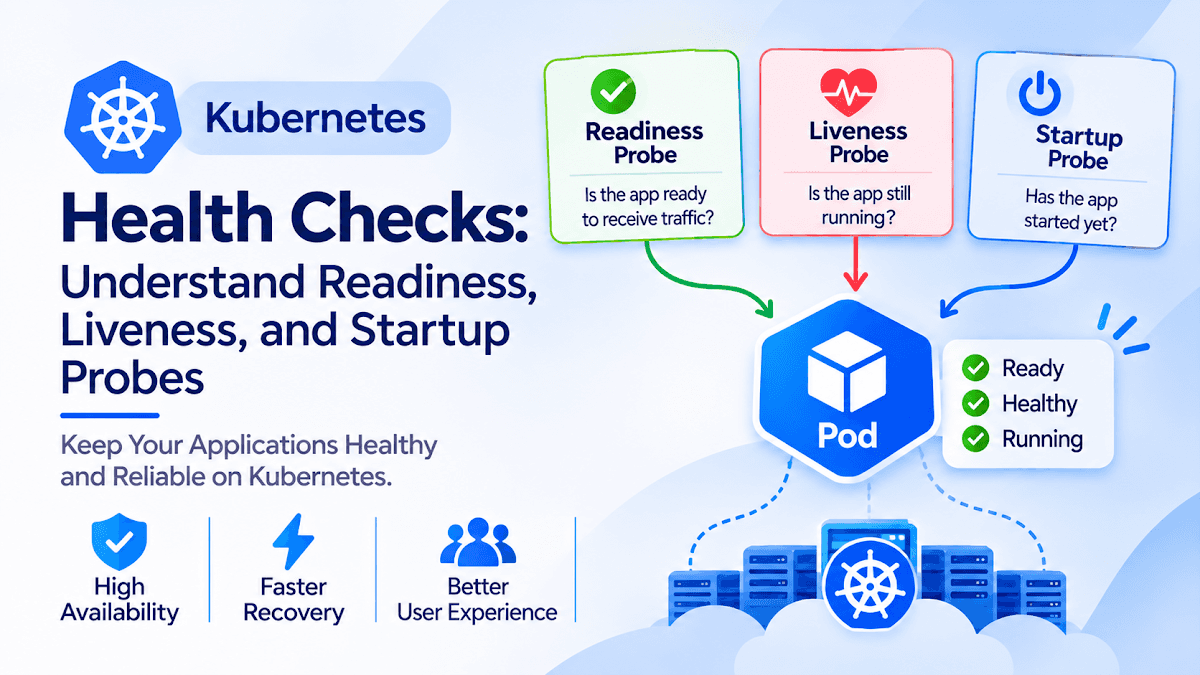
- A startup probe checks whether the application has started. When configured, it delays readiness and liveness probing until it succeeds.
- A readiness probe determines whether the container is ready for traffic. Failure makes the Pod unavailable through matching Service endpoints.
- A liveness probe can trigger a container restart after its configured failure threshold is reached.
Readiness failure alone does not restart a container. Kubernetes also cautions that badly designed liveness checks can cause cascading failures. A check is useful only when the response to failure makes sense.
Define the Decision Before the Endpoint
Ask three questions during a service review:
- What needs to finish before this instance can serve a request?
- What temporary condition should keep traffic away?
- What condition is unlikely to recover without restarting the process?
Write the answers in plain language before choosing probe timings. This helps avoid a single endpoint that reports the same answer for unrelated situations.
It also gives the application developer and the person operating the cluster a shared definition of success.
A Practical Design Exercise
1. Describe Normal Startup
List the tasks the application performs before serving users. A service may load configuration, initialise a large model, or prepare local resources.
Measure representative startup conditions, including a slower environment. Choose a startup allowance from evidence rather than a convenient number copied from another service.
2. Consider Temporary Dependency Failures
Suppose a shared reporting service is unavailable. Would restarting every application instance restore reporting? If not, review whether restart is the right reaction.
The appropriate behaviour depends on what the application can still do. Some products may offer a reduced experience; others may need to stop accepting particular work.
3. Specify Recovery Evidence
A probe should provide evidence for the decision it controls. An endpoint that always returns success is easy to implement but offers little help during an incident.
Review the endpoint alongside the failure scenario. Ask what the responder would learn from its result and what might remain invisible.
Test More Than the Happy Path
In a controlled environment, build a small set of scenarios:
- Startup takes longer than usual.
- The process becomes unable to make progress.
- A required dependency becomes temporarily unavailable.
- The application recovers without a new deployment.
- Several instances face the same failure together.
Record traffic behaviour and restart counts. A test should confirm both the intended recovery and the absence of unnecessary restarts.
Avoid introducing a live failure merely to see what happens. Use an environment and test plan appropriate to the service.
Make the Checks Explainable
Add a short description beside each probe configuration explaining why it exists and what its failure means. Include the owner and a link to the incident playbook where useful.
When startup behaviour changes, review the probe settings as part of the release. A configuration that worked for a small service may no longer match the same service after a substantial new dependency is introduced.
Final Thoughts
Kubernetes probes are operational decisions expressed as configuration. Define when to accept traffic, when to allow more startup time, and when a restart is justified. Then test those decisions under realistic failure conditions.
Related Blogs
- Application Observability: Find Slow Requests Before They Become Support Tickets
- Docker Multi-Stage Builds: Keep Production Images Small and Maintainable